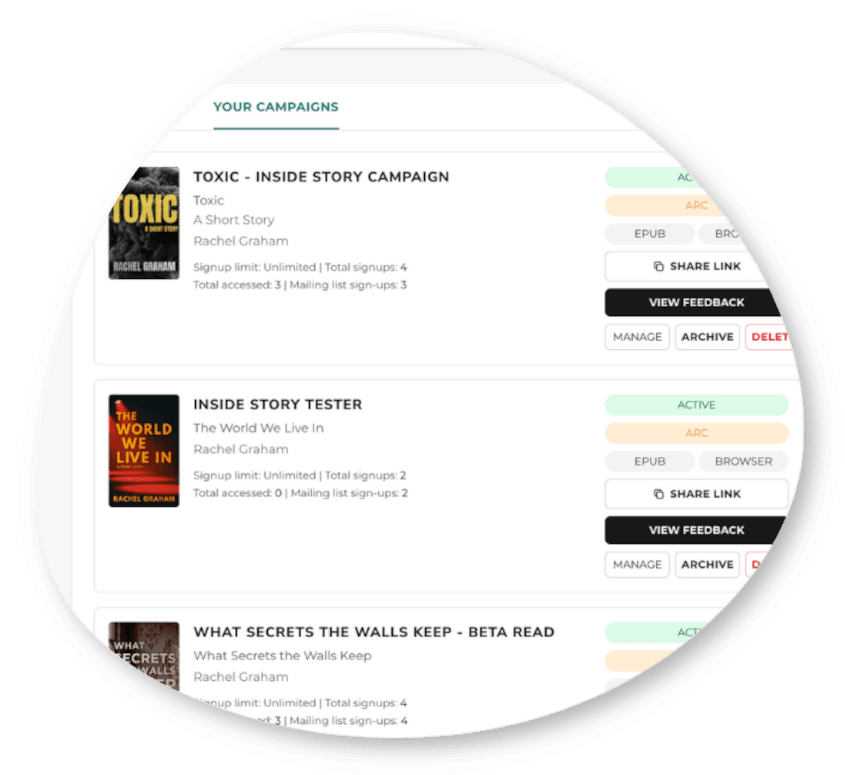
Campaigns

Every campaign,one dashboard.

ARC, beta, or reader magnet campaigns — manage claims, reviews, and deadlines from a single dashboard, with custom URLs and screening built in.

Get Started FreeSee what’s included
Three campaign types, screenshot
The Dashboard

Three campaign types,one place to run them

Whether you've got a reader magnet, sending ARCs, or looking for beta feedback, Inside Story has a campaign style for you. Beta campaigns turn on feedback and questionnaire logic automatically. Standard campaigns skip the review pipeline entirely and behave like a straightforward reader magnet, gathering your newsletter subscribers. ARCs send automatic reminders to get reviews in and boost your book for publication day. You choose whether to list your campaign publicly, or private-link only.
Inline Quick-Edit
Change dates, download limits, review-reminder timing, and feedback toggles without leaving the dashboard.
Custom URLs
A unique slug is generated automatically, but you can hand-edit it — availability is checked live as you type.
Download Limits
Limit your signups, or make it a free-for-all: you choose who gets access.
Multi-Pen-Name
One login covers every pen name you write under. See all your books and campaigns in one place.
You decide screenshot
Screening & Access

You decidewho gets in, and how

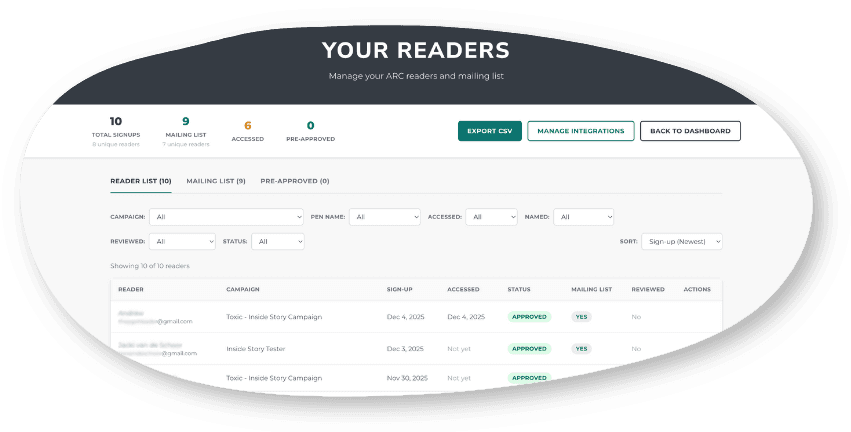
Approval runs in three modes: approve everyone automatically, review every request by hand, or set conditional rules — gated on being logged in, being on your standing pre-approved list, or hitting thresholds like minimum books read, review-completion rate, or time as a member. Blacklisting works by reader account or by raw email, for people who never made a platform account, and it's enforced by a database trigger that overrides auto-approval entirely, so a blacklisted person is rejected instantly even on an approve-everyone campaign.
Custom Questionnaires
Add your own signup questions — each one can carry its own auto-approval rule.
Pre-Approved Skip Logic
Choose whether your pre-approved readers still have to fill out the questionnaire (default: they skip it).
Hard Blacklist Override
A blacklist entry beats every other approval rule, even “approve everyone.”
Upload once, readers screenshot
File Delivery

Upload once, readerschoose how to read it

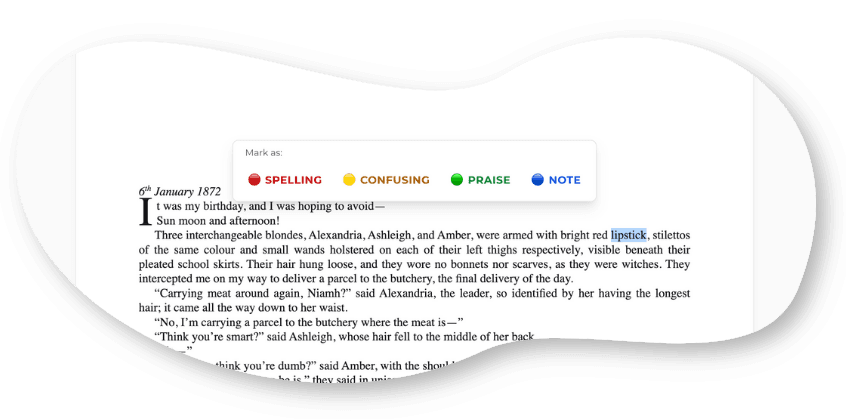
Three formats are supported at the storage layer — PDF, EPUB, and DOCX. Upload a DOCX and it's silently converted to EPUB behind the scenes, so it can power the in-browser reader without you touching a conversion tool. Want to stop downloads entirely? Add your EPUB or DOCX to toggle the 'read in-browser' only.
In-Browser Reader
Inline commenting and progress tracking, no app or account setup required for readers.
Download for eReader
Readers can download or send directly to their device.
Automatic Conversion
DOCX manuscripts are converted to EPUB automatically for in-browser reading.
Protect your files screenshot
Watermarking

Protect your fileswith personal watermarking

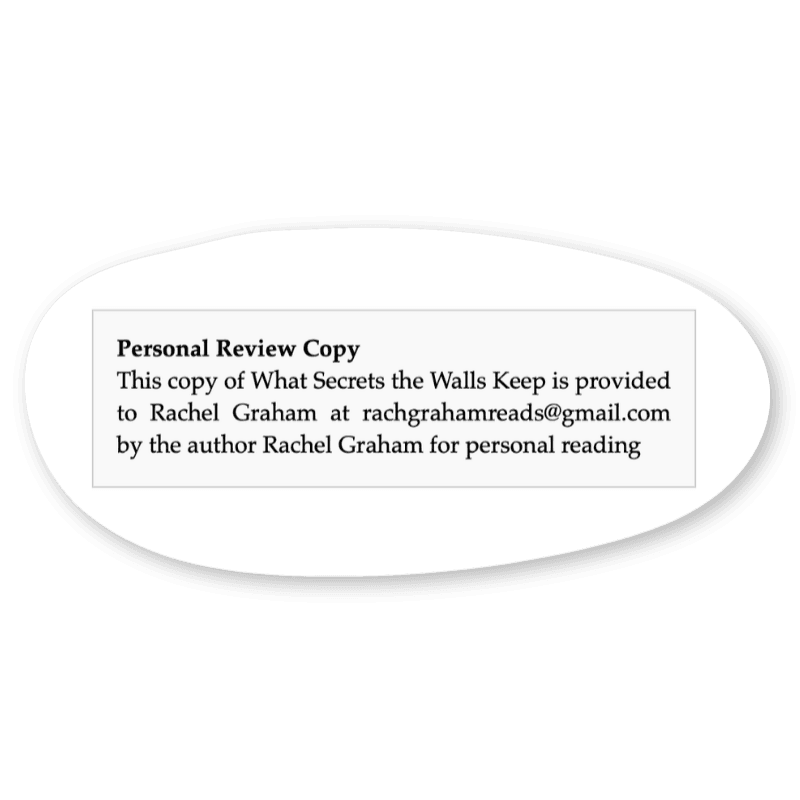
Every download carries a personalized watermark built from a template you control — with placeholders for the reader's email, first and last name, book title, and your author name, set per campaign or as an author-wide default. On PDFs, that text is stamped on every single page, and separately written into the invisible PDF metadata, so there's a hidden fingerprint even if someone crops the visible mark away. EPUBs get the same text baked into the file metadata and copyright page, so the world would know exactly who leaked your ARC. Knowing there's this accountability discourages illegal sharing.

Visible + Invisible
A readable stamp on every page, plus a metadata fingerprint.
Sensible Default
Default watermark bakes in the reader's personal details: “This copy is provided to {email} by the author for personal reading”.
Personalize Your Watermark
Write your own watermark text with {email}, {reader_first_name}, {author_name}, and more, to add your personal touch.
Automated Reminders

Two reminder systems,layered automatically

Reader-Chosen Lead Time

Each reader picks their own nudge schedule — never, 3 days, 1 week, 2 weeks, or 1 month before their due date, to suit their reading speed.

End-of-Campaign Email

Every reader automatically gets an email when the campaign ends, regardless of their personal reminder preference.

Post-Close Follow-Up

A second automatic email goes out three days after the campaign closes, catching anyone who didn’t finish in time.

Ready to run yournext campaign?

Join Inside Story and start building your launch team today

Sign Up FreeSee All Features